Products
IoT
FATEK IoT PLATFORM

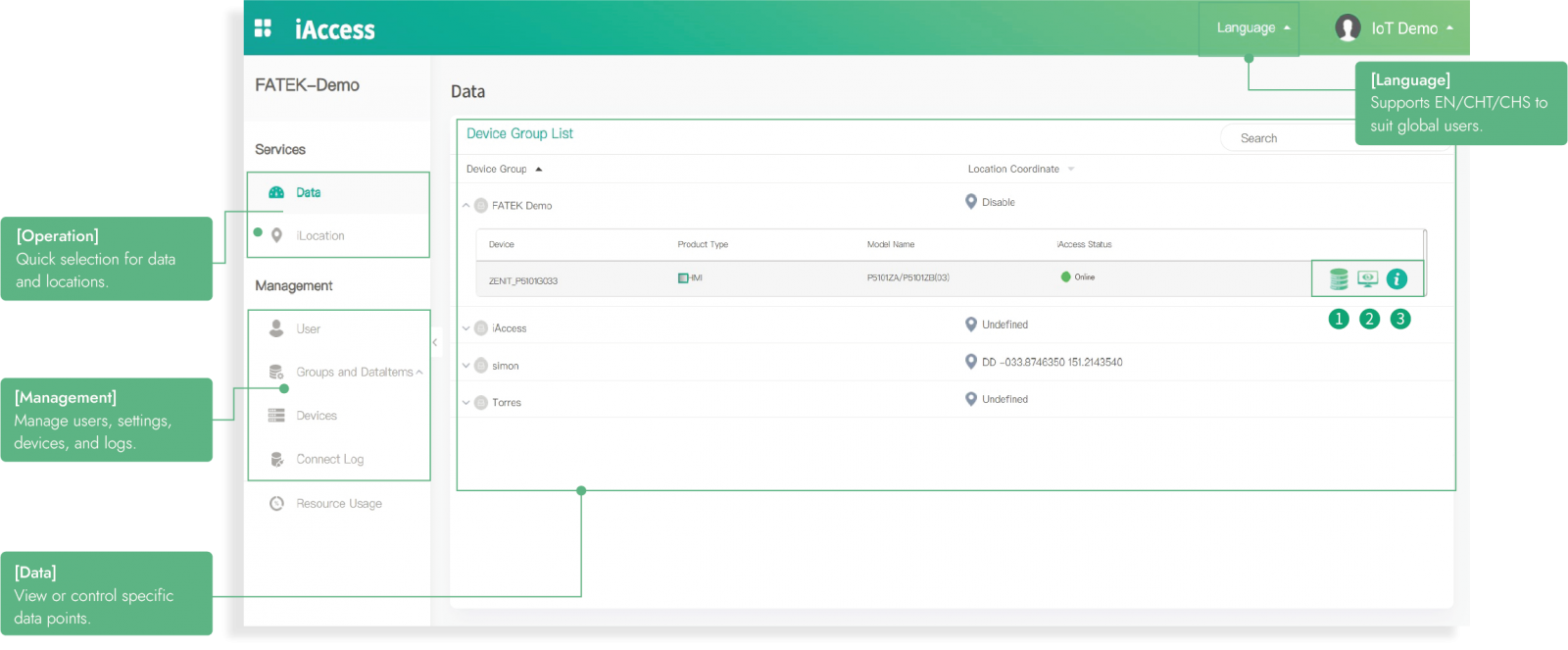
This simple and intuitive monitoring platform makes IoT accessible.
 |  |  |
 | _1_small.png) | 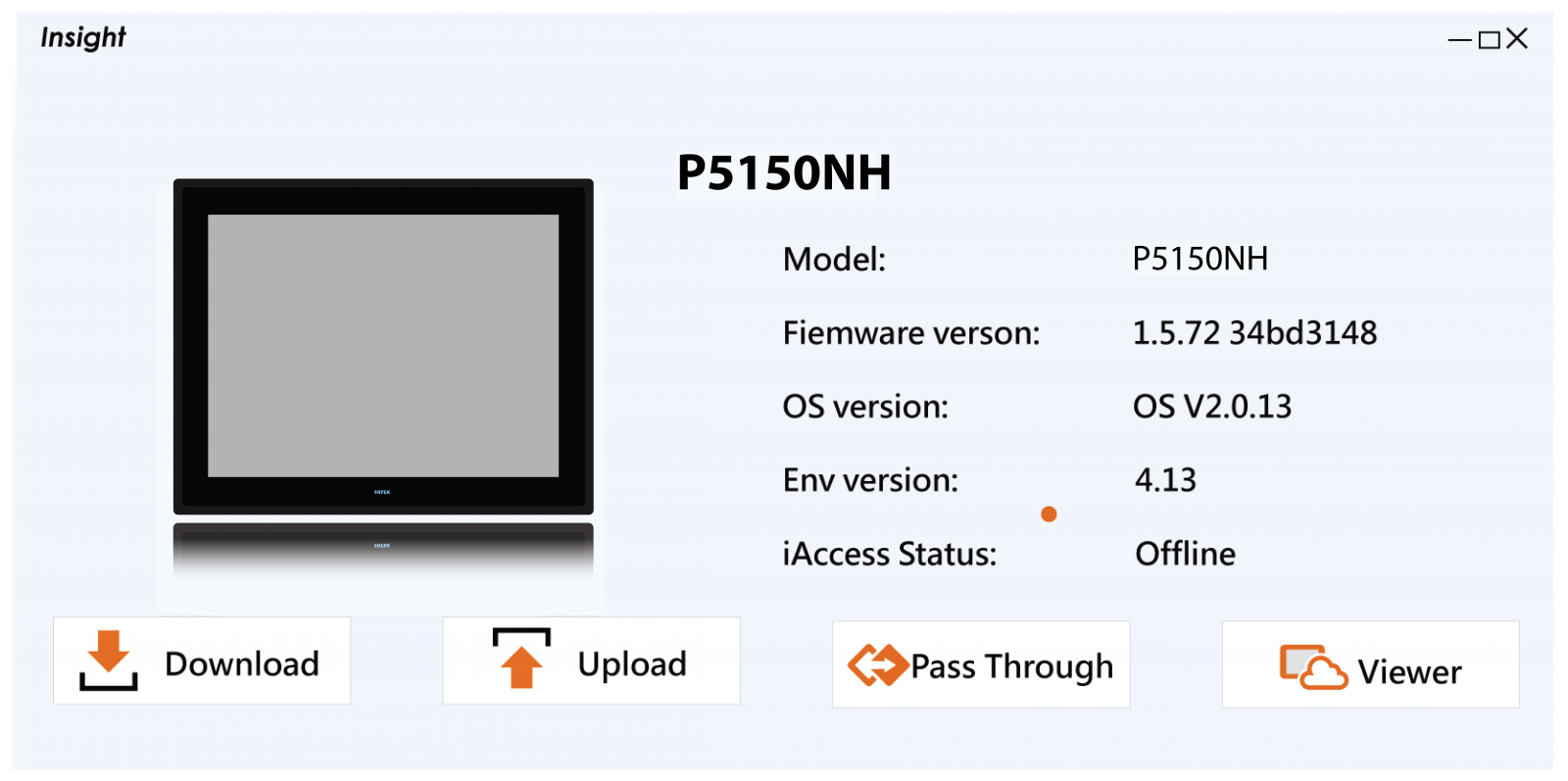 |
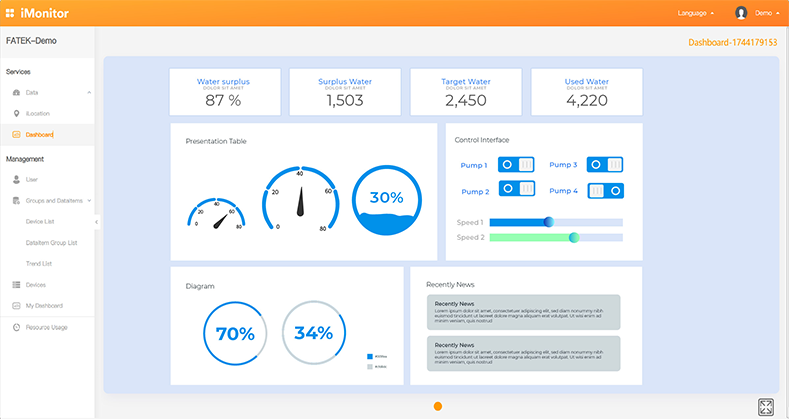
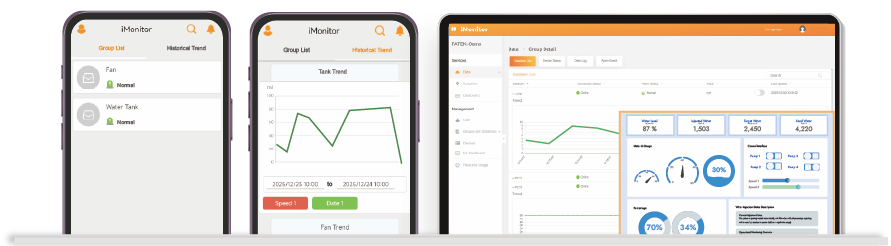
Intuitively monitor the device and substantively enhance group management efficiency. on fatekcloud.net |

_1.png)
| All planning and settings can be completed through the browser without the need to update projects on a device through software or download the settings to a remote device. |

| No software installation is required. There is no need to worry about version update problems. The latest version of the monitoring platform can be obtained by logging into the browser |


Enter the Customer’s ID - Account - Password to connect the device with ease. IP, firewall, router, and other complex settings will no longer be a cause for concern. |

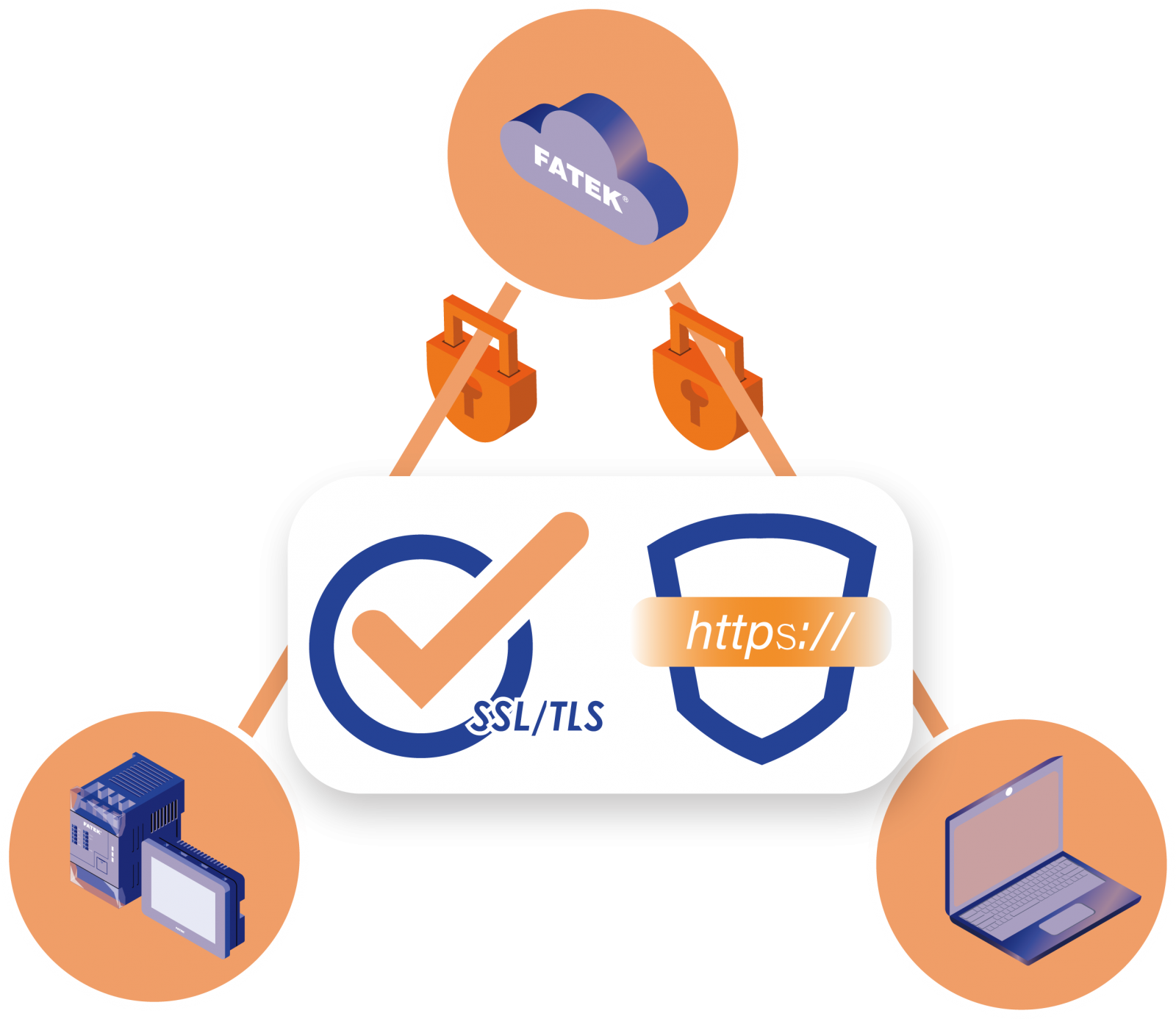
Data transmitted across Devices - Cloud platforms - Users is encrypted to ensure safe data transmission. |
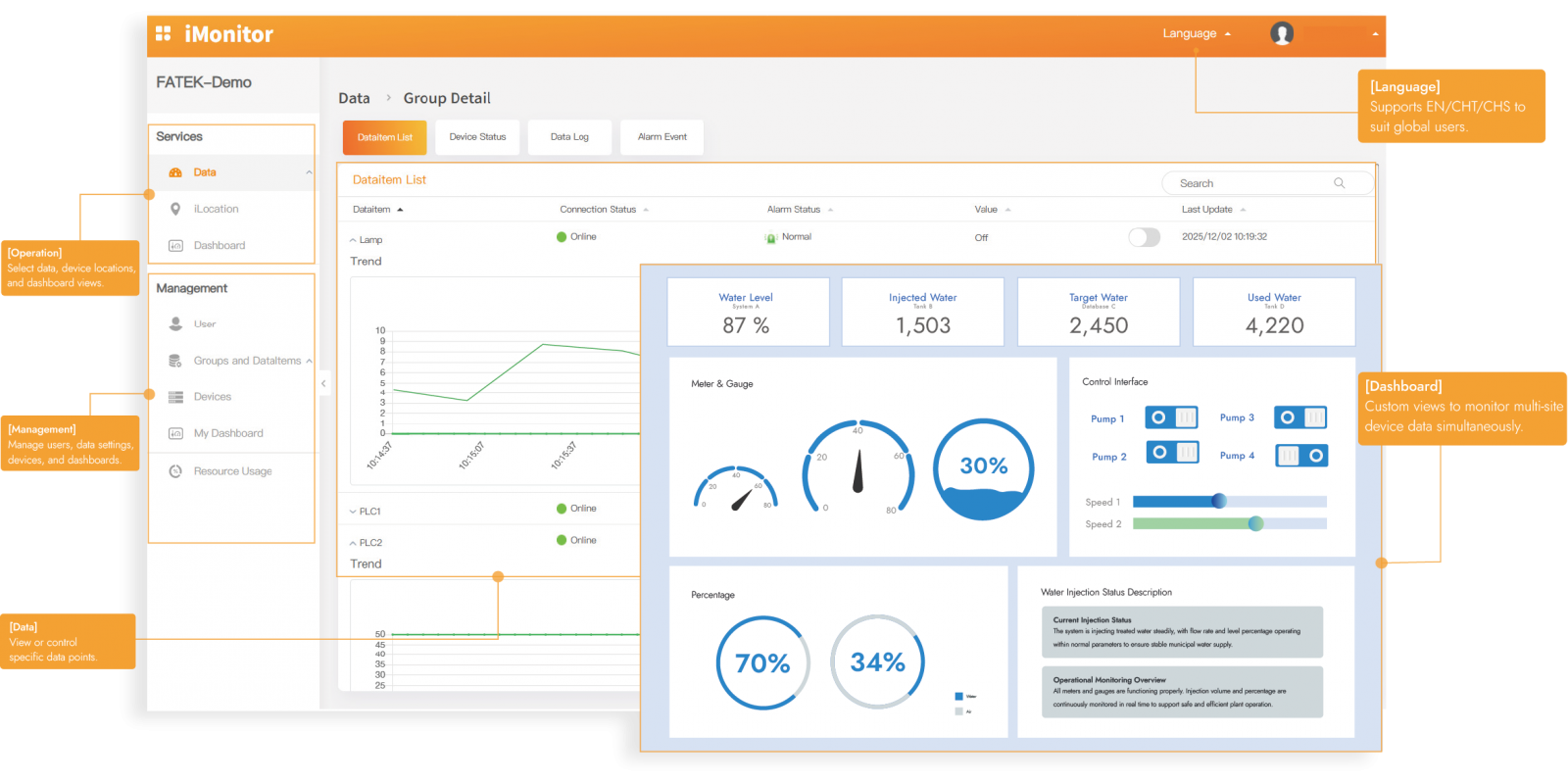
 Monitoring of globally distributed devices through a centralized dashboard for instant operational insights. Monitoring of globally distributed devices through a centralized dashboard for instant operational insights. |
 |
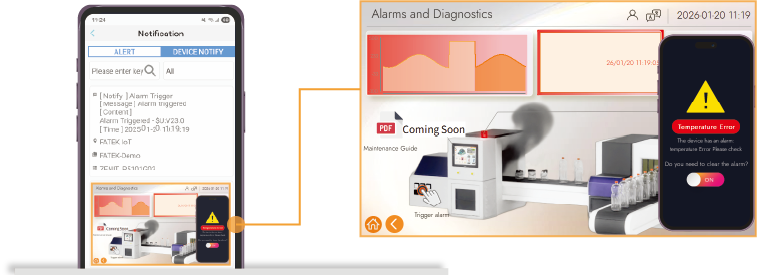
| Multi-Terminal Sync: Real-time control via Mobile/Tablet App. | FATEK Cloud Alarm Notifications Multi-platform alarm notifications, Live operation screen snapshots  |
 |  |
 Real-time location visibility. GPS integration for precise management. Real-time location visibility. GPS integration for precise management. |
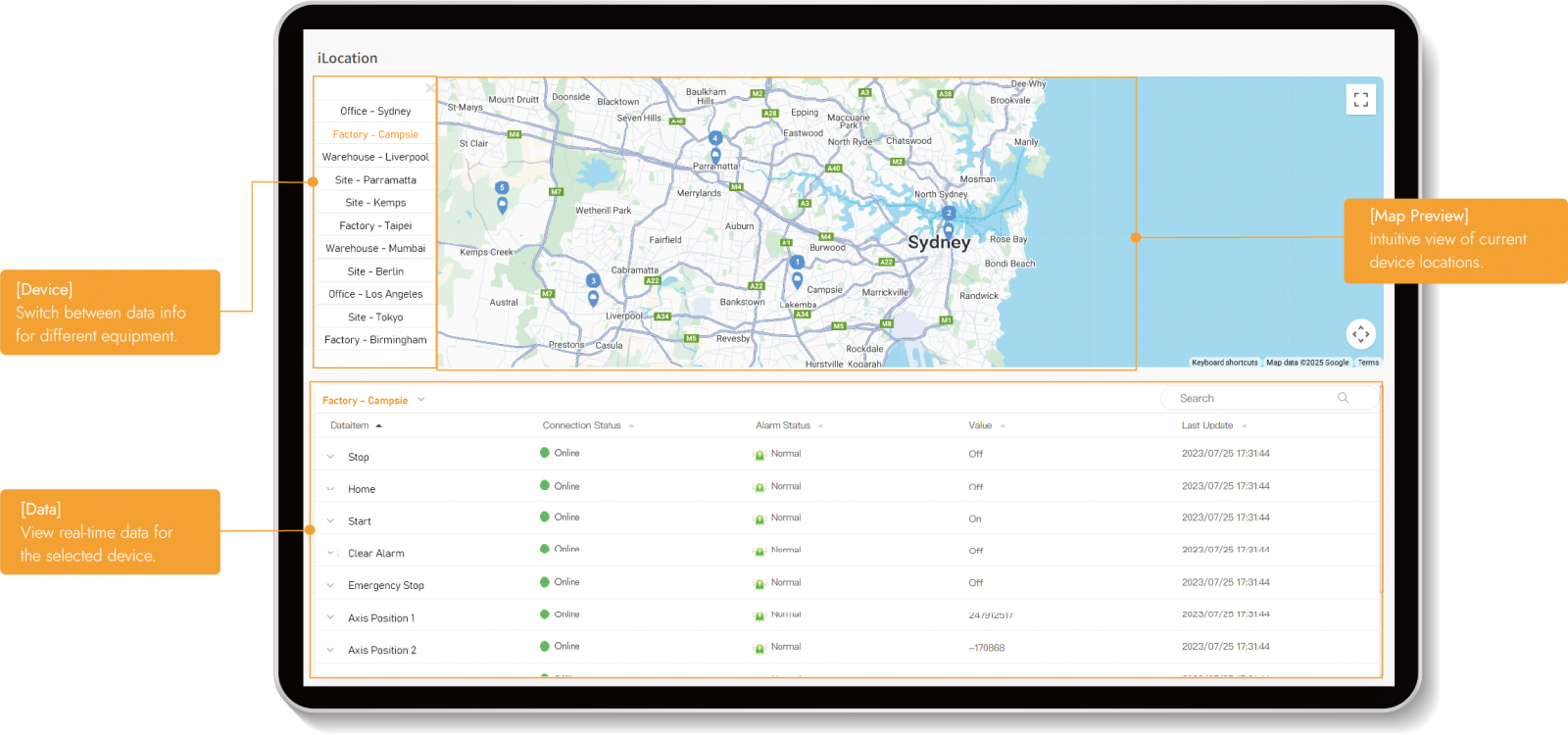 |
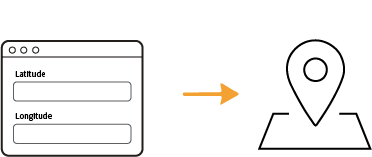
| Static Mode Set location by manually entering GPS coordinates | Dynamic Mode Use a GPS module to display real-time location and track the device |
 |  |
 Effortless remote updates and maintenance. Live screen monitoring without on-site visits. Effortless remote updates and maintenance. Live screen monitoring without on-site visits. |
 |
 [Real-time Data List] |  [Live Screen Monitoring] |  [Device Info] |
 | ||
 A software widget for remote project updates, device maintenance, and screen monitoring A software widget for remote project updates, device maintenance, and screen monitoring | |
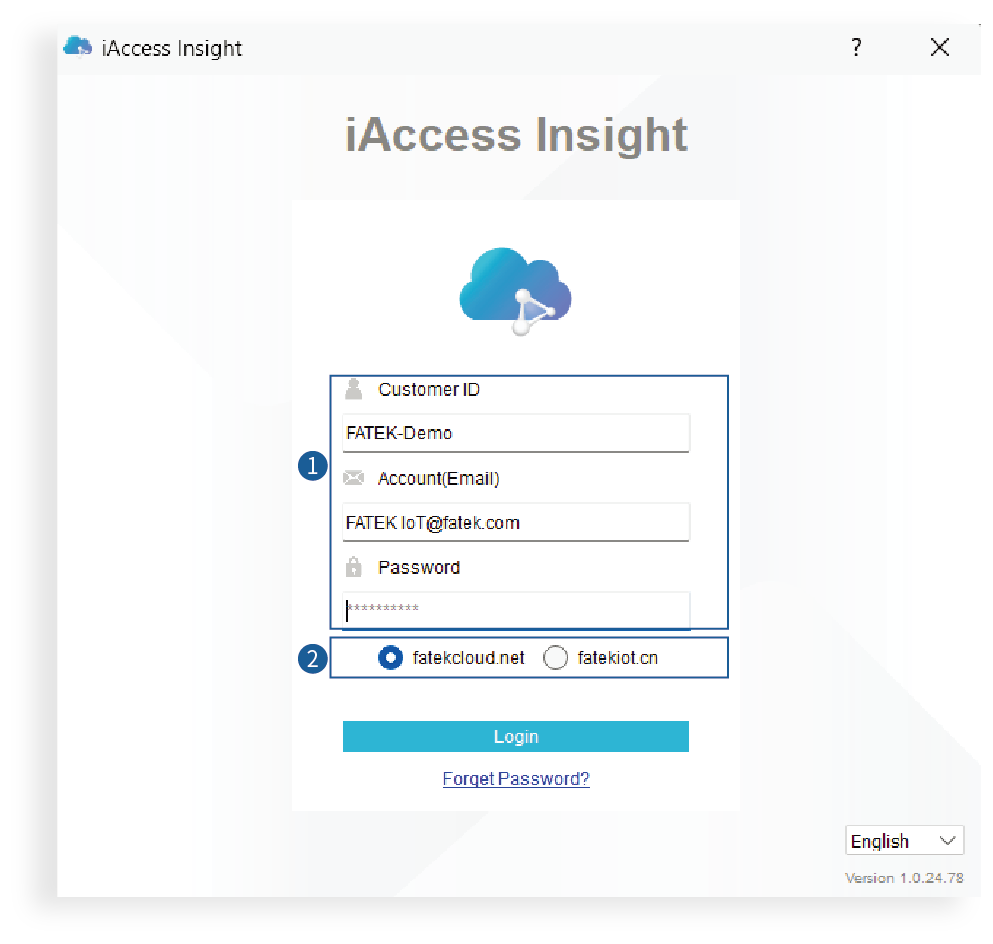 |  [Login] [Login]Login with the project’s customer ID, account, and password. |
 [Server] [Server] Select server services | |
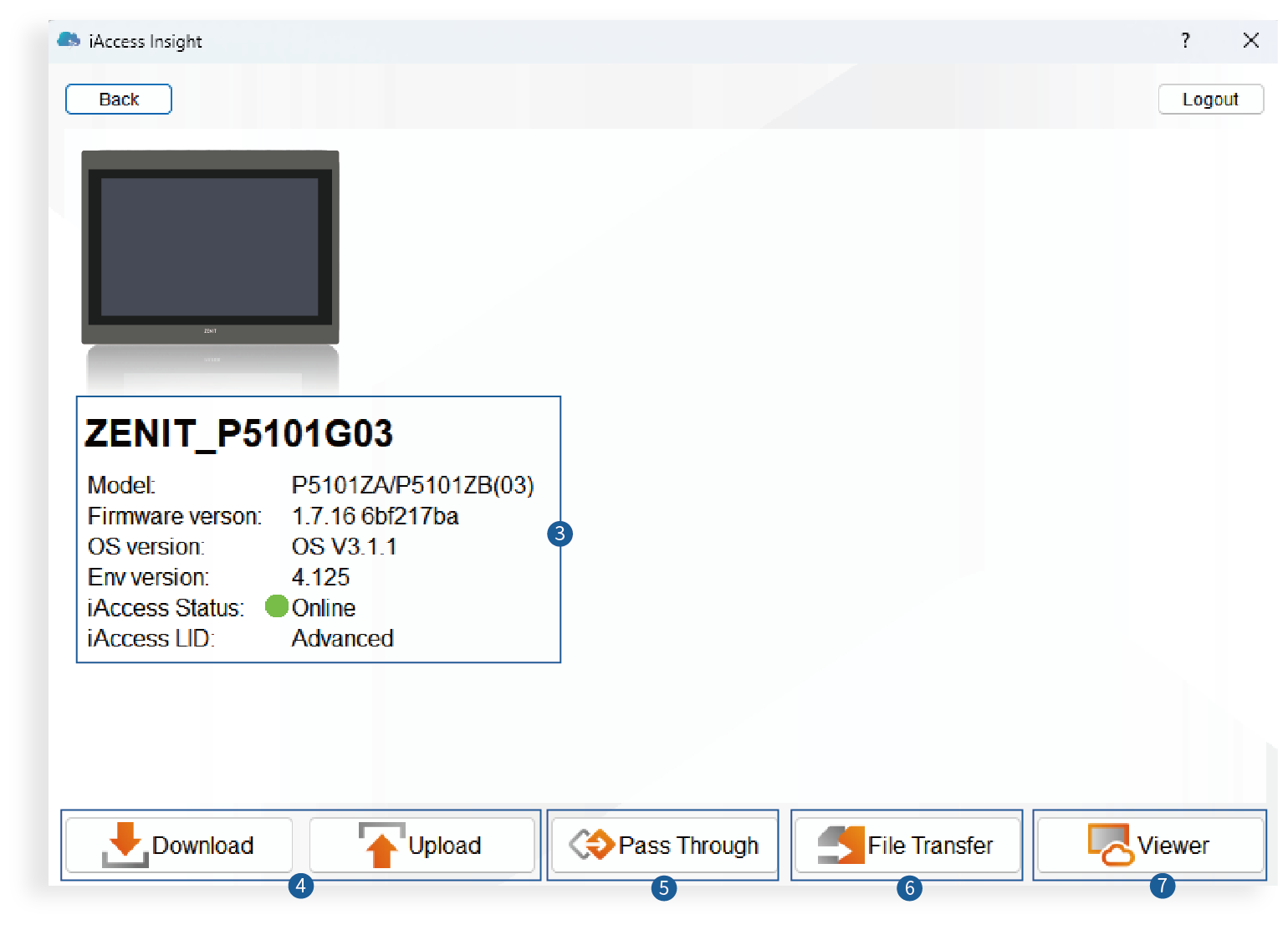 |  [Device Info] [Device Info] Clearly view device versions and IoT service connection and activation status. |
 [Project Maintenance] [Project Maintenance]Easily upload and download HMI projects remotely. | |
 [Passthrough] [Passthrough]Powerful connectivity to remotely maintain third-party PLC projects via FATEK HMI. | |
 [File Transfer] [File Transfer]Bi-directional remote files transfer for easy recipe updates and data synchronization. | |
 [Screen Monitoring] [Screen Monitoring] Instant HMI screen access without complex VNC setup for smooth remote oversight. |
This simple and intuitive monitoring platform makes IoT accessible.
|
|
|
|
Intuitively monitor the device and substantively enhance group management efficiency. on fatekcloud.net |
|
|
| All planning and settings can be completed through the browser without the need to update projects on a device through software or download the settings to a remote device. |
| No software installation is required. There is no need to worry about version update problems. The latest version of the monitoring platform can be obtained by logging into the browser |
Enter the Customer’s ID - Account - Password to connect the device with ease. IP, firewall, router, and other complex settings will no longer be a cause for concern. |
Data transmitted across Devices - Cloud platforms - Users is encrypted to ensure safe data transmission. |
Monitoring of globally distributed devices through a centralized dashboard for instant operational insights. |
|
| Multi-Terminal Sync: Real-time control via Mobile/Tablet App. |
|
| FATEK Cloud Alarm Notifications Multi-platform alarm notifications, Live operation screen snapshots |
|
Real-time location visibility. GPS integration for precise management. |
|
| Static Mode Set location by manually entering GPS coordinates |
|
| Dynamic Mode Use a GPS module to display real-time location and track the device |
|
Effortless remote updates and maintenance. Live screen monitoring without on-site visits. |
|
[Real-time Data List] | [Live Screen Monitoring] | [Device Info] |
| ||
A software widget for remote project updates, device maintenance, and screen monitoring |
|
| [Login] Login with the project’s customer ID, account, and password. |
| [Server] Select server services |
|
| [Device Info] Clearly view device versions and IoT service connection and activation status. |
| [Project Maintenance] Easily upload and download HMI projects remotely. |
| [Passthrough] Powerful connectivity to remotely maintain third-party PLC projects via FATEK HMI. |
| [File Transfer] Bi-directional remote files transfer for easy recipe updates and data synchronization. |
| [Screen Monitoring] Instant HMI screen access without complex VNC setup for smooth remote oversight. |
